This page documents AI Studio, our development environment for notebooks, jobs and deployments. Saturn Cloud also offers dedicated inference endpoints built with NVIDIA DSX. Talk to us about dedicated GPU capacity.
Auto-Shutoff
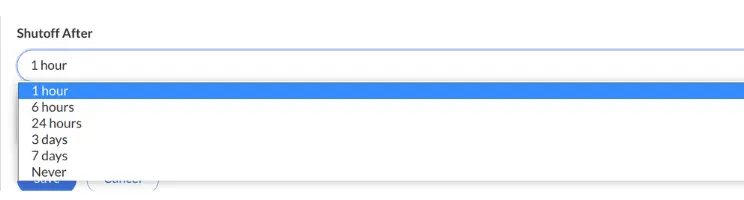
Auto-shutoff is a setting that sets a period of time of inactivity after which a Jupyter server will automatically shut down. This can prevent you from wasting money on expensive resources that are accidentally left on. When Jupyter and R servers are created, you can choose an auto-shutoff period. This defaults to 1 hour, but you can also select 6 hours, 3 days, 7 days, or never. After a period of inactivity of the set length, the resource will automatically shut off.
- Jupyter Server - A Jupyter server resource is running if either (1) a browser window for JupyterLab is open or (2) an SSH connection is open to the resource. For modern browsers having a laptop go to sleep will disconnect the browser window and ssh connections, thus starting the idle timer.
- R Server - An R server is considered idle if either (1) R reports an active session or (2) an SSH connection is open to the resource. An active session means an R computation is occurring, and thus even if a browser disconnects the resource may be active. Compared to Jupyter server resources R resources tend to stay on longer because often background computations are occurring.
The auto-shutoff behavior for a Dask cluster connected to a resource follows the resource itself–if a Jupyter server shuts down the associated Dask cluster will shut down as well. In rare situations you may choose to turn on a Dask cluster without turning on the corresponding JupyterLab resource, for example if you’re connecting to the Dask cluster directly. In these situations the Dask cluster won’t ever automatically shut down.