This page documents AI Studio, our development environment for notebooks, jobs and deployments. Saturn Cloud also offers dedicated inference endpoints built with NVIDIA DSX. Talk to us about dedicated GPU capacity.
Create a Dashboard with Voila
What is Voila?
Voila is the easiest way to turn a Jupyter notebook into a dashboard! It even supports notebooks that leverages widgets, and renders these into a web application.
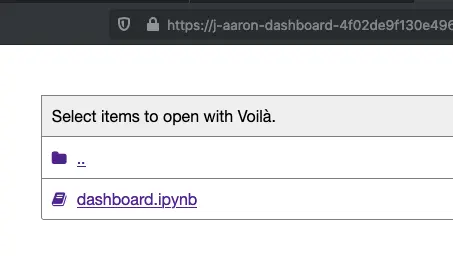
Voila can serve individual notebooks or allow to you browse for notebooks on your Jupyter server’s file system. A common workflow is to develop notebooks and preview dashboards within Jupyter, then create a Deployment to share the dashboard with others.
Preview dashboards in Jupyter
From a running Jupyter server, copy the URL of your server and replace /lab/* with /voila. You can now browse your files and click any notebook to have it rendered with Voila! For example, if your Jupyter Lab URL looks like:
https://j-aaron-dashboard.community.saturnenterprise.io/user/aaron/dashboard/lab/workspaces/dashboard
Voila would be available at:
https://j-aaron-dashboard.community.saturnenterprise.io/user/aaron/dashboard/voila
Deployment
After you’re happy with your dashboard, you can enable a production deployment. If you aren’t familiar with Deployments in Saturn Cloud, check out the docs on setting up a Deployment.
To enable Voila on all notebooks, run:
voila --Voila.ip=0.0.0.0 --port=8000 .
If you only want to deploy a single notebook, you can pass in the path to that notebook:
voila --Voila.ip=0.0.0.0 --port=8000 <path-to-notebook>